Deutsch
 Français
 Italiano
 Español
 USD
USD GBP
GBP
Mounting TV & Monitor Wall Mounts: Step by Step
You've invested a lot of money in your new OLED TV or high-end monitor? Then you shouldn't leave anything to chance during installation. In this guide, you'll learn everything about wall properties, choosing the right anchors, and perfect ergonomics. We'll guide you from the first drill hole to a secure hold.
📑 Table of Contents (Navigation)
🧰 Checklist: Preparation
Good tools are half the battle. Have the following items ready:
- Spirit level
- Pencil
- Stud finder / Wire detector
- Folding rule / Tape measure
- Drill
- Masonry drill bit (matching size!)
- Vacuum cleaner
- Screwdriver
- Wrench / Ratchet
- Hammer
- 2nd Person (Helper)
1. Planning: The Perfect Height & Position
The most common mistake during installation isn't the wrong anchor, but the wrong height. A TV hanging too high like a painting inevitably leads to neck pain.
Tip: Cut out a piece of cardboard in the size of your TV and tape it to the wall. Then sit on your sofa and check if the viewing angle feels relaxed.
📏 The Ergonomic Height
Rule of thumb TV (Living room):
Sit relaxed on your sofa. Your eyes should be level with the lower third of the screen.
Rule of thumb Monitor (Desk):
Here you sit upright. The top edge of the screen should be exactly at eye level.
Account for the height of the soundbar + approx. 5cm distance to the bottom edge of the TV before you make your marks!
☀️ Light & Viewing Distance
Avoid reflections:
Never mount the TV directly opposite a window. Light coming from the side (90 degrees to the window) is ideal.
The ideal seating distance:
For modern 4K TVs: Screen diagonal x 1.5. For 55 inches, you ideally sit approx. 2.10 meters away.
For the light effect to radiate softly against the wall, the TV needs approx. 10-20cm wall distance. Avoid "Ultra-Slim" mounts if you have background lighting.
2. The Safety Check: Observe Installation Zones
Drilling into a power cable is life-threatening. Don't rely on luck.
- The "Golden Rule": In modern buildings, cables usually run vertically or horizontally to sockets and switches. Never drill directly above, below, or next to electrical outlets.
- The Old Building Risk: In houses built before 1960, cables were often laid "the shortest way" (diagonally). Only a high-quality detector helps here.
3. Hardware Check: VESA & Screws
The connection between TV and bracket is just as important as the one to the wall. Misunderstandings about standards often lurk here.
What does the VESA standard mean?
The Video Electronics Standards Association (VESA) defines the distance between the four threaded holes on the back. Only if the mount and monitor match (e.g., VESA 200x200), do they fit together.
Important: There are many different standards (MIS-D, MIS-E, MIS-F) for different weight classes.
To the overview of all VESA standards & sizes ›
Digression: The Screws (M4, M6, M8)
The heavier the TV, the thicker the screws. Small monitors use M4 (4mm thick), large TVs mostly M6 or M8. Attention: The screws must not be too long! If you feel resistance, stop screwing, otherwise you will damage the panel from the inside. Use washers or spacers.
Find VESA adapters here ›
100x100
Measure the distance in mm.
4. Wall Condition & Anchor Choice
Do the knock test: Does it sound hollow (drywall) or solid (concrete)? A test drill gives final certainty.
Don't underestimate the leverage effect with swivel monitor arms! If you pull the monitor 50cm away from the wall, the load pulling on the top anchor multiplies ("pull-out effect").
Recommendation: Always use one size larger for swivel arms. Instead of size 8 anchors (S8), prefer size 10 anchors (S10) with matching 8mm hexagonal wood screws. These offer significantly more pull-out resistance.
5. Step-by-Step Installation Guide
You have the space, checked the safety, and have the right anchors ready? Then it's time for implementation. Work calmly and precisely.
Marking
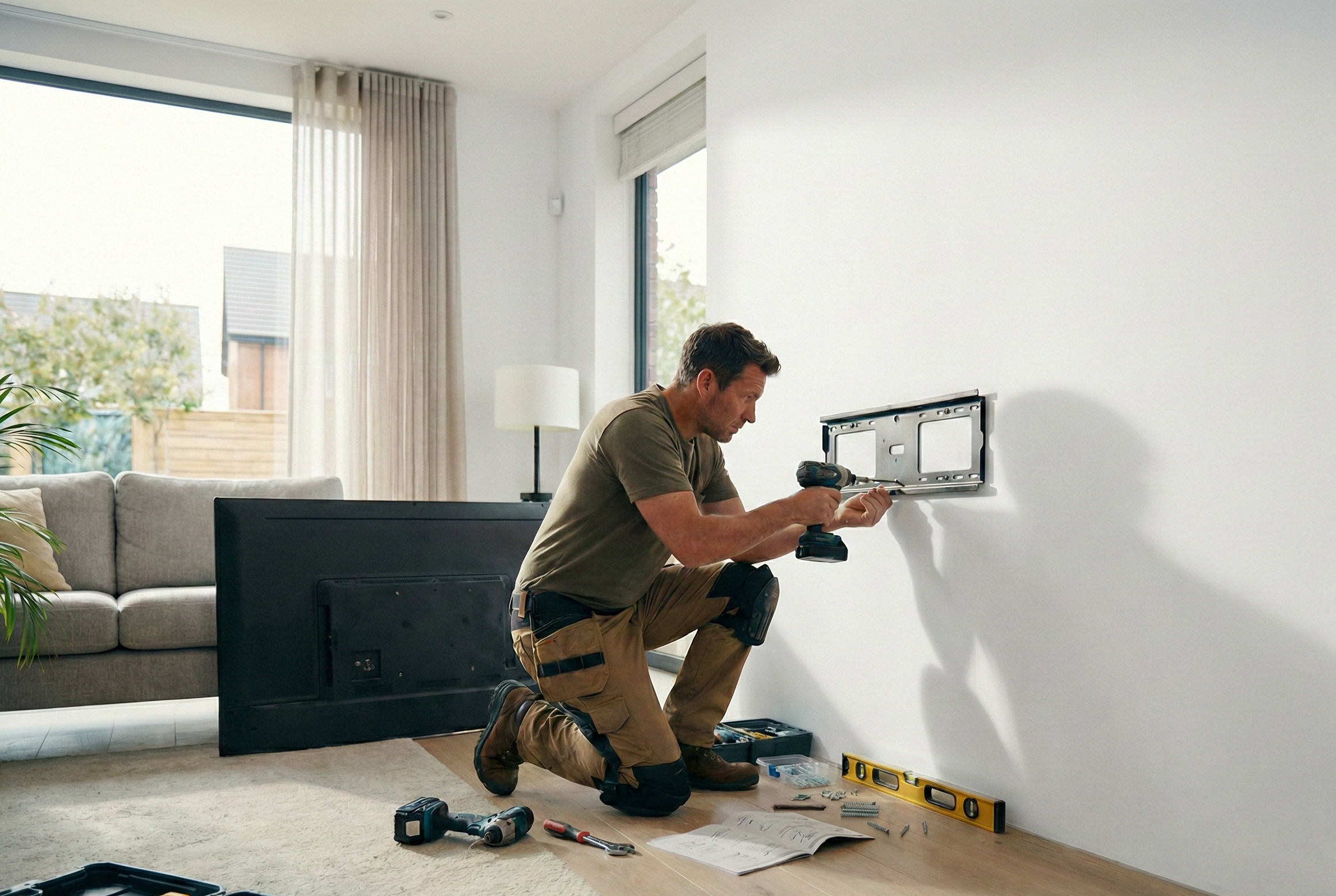
Hold the wall plate against the wall. Align it exactly with the spirit level. Mark the drill holes with the pencil.
The Drilling Lifehack
One of the best tips for clean work: Fold a sticky note or take an old envelope. Tape it with masking tape directly under the marked drill hole on the wall. Fold it open slightly. All the drilling dust will now fall directly into the envelope instead of onto the floor or baseboard.
Drilling
Place the drill at a right angle.
The right depth: Anchor length + 10mm. Mark the depth on the drill bit with tape.
Cleaning (Important!)
80% of DIYers forget this step: Vacuum out the drill hole! Pull the vacuum cleaner over the hole and move the drill bit back and forth slightly inside it. Remaining drilling dust acts like "ball bearings" and reduces the holding power of the anchor by up to 50%. Only now press the anchor in flush.
Screwing on & Hanging
Screw the wall plate tight. Tighten hand-tight.
The 4-hands principle: Never lift the TV onto the mount alone if it is larger than 40 inches. The risk of damaging the panel or slipping is too great. One holds, one screws/locks.
6. Finish: Cables & Fine Adjustment
The TV hangs, but black cables are dangling down the white wall? That ruins the look. Here is the finishing touch.
On the Wall: Cable Ducts
Use self-adhesive semi-circular ducts in wall color. These can be painted over and elegantly hide HDMI and power cables on the way to the socket.
On the Arm: Velcro Cable Ties
Ideally, fasten the cables to the monitor arm with Velcro cable ties. Unlike rigid plastic ties, these do not constrict and are easy to release.
Important: Test the cable length in all swivel positions!
🚑 First Aid: Solutions for Drilling Problems
Things don't always go according to plan. Here you will find quick solutions for the most common mishaps.
Drill hole too big or frayed?
Solution A (Quick): Take the next larger anchor. Solution B (Pro): Wrap a repair fleece around the anchor or fill the hole with 2-component mortar.