We deliver all over europe
  • Business customer?
  • info@vesa-adapter.com
  • en en
    de Deutsch fr Français it Italiano es Español
  • EUR EUR
    USD USD GBP GBP
  • Register or Sign in
vesa-adapter.com
vesa-adapter.com
  • Monitor Mounts
    • Desk Mounts
    • Wall Mounts
    • Monitor Stands
    • Accessories
  • TV Mounts
    • TV Ceiling Mounts
    • TV Stands & Floor Stands
    • TV Wall Mounts
  • VESA Adapters
    • Acer
    • AOC
    • ASUS
    • BenQ
    • CSL
    • DELL
    • HP
    • HP Omen
    • Huawei
    • Koorui
    • Lenovo
    • LC-Power
    • MSI
    • ODYS
    • Philips
    • Samsung
    • Viewsonic
    • Xiaomi
  • VESA Extensions
    • VESA Adapter Plates
    • VESA Spacers
    • Height Adjustable VESA Adapters
  • Device Mounts
    • Camera Mounts
    • PC Mounts
    • Soundbar Mounts
  • Accessories
    • Screen Cleaners
    • Cable Management
    • Screws & Mounting Sets
    • Extension Arms
  • Ergonomics Guide
    • 1. Introduction to ergonomics
    • Ergonomics in the workplace
    • 2. Technology and ergonomics
    • VESA Standard
    • Inches to CM Calculator
    • All VESA standards
    • VESA monitor mount
    • Identify VESA standard
    • VESA Adapter for gaming
    • 3. FAQ
    • FAQ about VESA standard
    • 4. VESA adapter
    • VESA adapter Acer
    • VESA adapter AOC
    • VESA adapter ASUS
    • VESA adapter BenQ
    • VESA adapter CSL
    • VESA adapter DELL
    • VESA adapter HP
    • VESA adapter Odys
    • VESA adapter LC-Power
    • VESA adapter HP Omen
    • VESA adapter HUAWEI
    • VESA adapter Koorui
    • VESA adapter Lenovo
    • VESA adapter MSI
    • VESA adapter Philips
    • VESA adapter Samsung
    • VESA adapter Viewsonic / Medion
    • 5. News
    • VESA for ODYS Q27 und Q27 Pro Monitor
    • VESA for LC-Power LC-M27 monitor
    • 6. Wissen & Technik
    • Focus on monitor mounts: Mechanics, assembly, and stability
    • Single Monitor Desk Mount Comparison
    • Monitor Mount for 2 Monitors comparison (Desktop Mount)
    • The perfect home office setup
    • VESA Adapters for every Monitor
    • Ultrawide & Curved Monitore sicher montieren: Der
    • TV Wandhalterung sicher montieren
    • TV Halterung im Wohnmobil
  • en en
    de Deutsch fr Francais it Italiano es Español
  • EUR EUR
    USD USD GBP GBP
  • Monitor Mounts
    Desk Mounts
    Wall Mounts
    Monitor Stands
    Accessories
  • TV Mounts
    TV Ceiling Mounts
    TV Stands & Floor Stands
    TV Wall Mounts
  • VESA Adapters
    Acer AOC ASUS BenQ CSL
    DELL HP HP Omen Huawei Koorui
    Lenovo LC-Power MSI ODYS Philips
    Samsung Viewsonic Xiaomi
  • VESA Extensions
    VESA Adapter Plates
    VESA Spacers
    Height Adjustable VESA Adapters
  • Device Mounts
    Camera Mounts
    PC Mounts
    Soundbar Mounts
  • Accessories
    Screen Cleaners
    Cable Management
    Screws & Mounting Sets
    Extension Arms
  • Ergonomics Guide
    1. Introduction to ergonomics
    • Ergonomics in the workplace
    2. Technology and ergonomics
    • VESA Standard
    • Inches to CM Calculator
    • All VESA standards
    • VESA monitor mount
    • Identify VESA standard
    • VESA Adapter for gaming
    3. FAQ
    • FAQ about VESA standard
    4. VESA adapter
    • VESA adapter Acer
    • VESA adapter AOC
    • VESA adapter ASUS
    • VESA adapter BenQ
    • VESA adapter CSL
    • VESA adapter DELL
    • VESA adapter HP
    • VESA adapter Odys
    • VESA adapter LC-Power
    • VESA adapter HP Omen
    • VESA adapter HUAWEI
    • VESA adapter Koorui
    • VESA adapter Lenovo
    • VESA adapter MSI
    • VESA adapter Philips
    • VESA adapter Samsung
    • VESA adapter Viewsonic / Medion
    5. News
    • VESA for ODYS Q27 und Q27 Pro Monitor
    • VESA for LC-Power LC-M27 monitor
    6. Wissen & Technik
    • Focus on monitor mounts: Mechanics, assembly, and stability
    • Single Monitor Desk Mount Comparison
    • Monitor Mount for 2 Monitors comparison (Desktop Mount)
    • The perfect home office setup
    • VESA Adapters for every Monitor
    • Ultrawide & Curved Monitore sicher montieren: Der
    • TV Wandhalterung sicher montieren
    • TV Halterung im Wohnmobil
Business customer?
Business customer?
  1. Home
  2. The perfect home office setup
vesa-adapter.com GUIDE

Clean Desk & Ergonomics 2026: The Guide for the Perfect Home Office Setup

📅 Last updated: 01/12/2026 ✍️ Editor: Helena E. ⏱️ Read time: approx. 5 min.

A productive home office doesn't happen by chance. In this guide, we'll show you how to perfect your setup using the Clean Desk Principle. Learn why a professional monitor arm is the foundation for organization and ergonomics – regardless of the hardware you use.
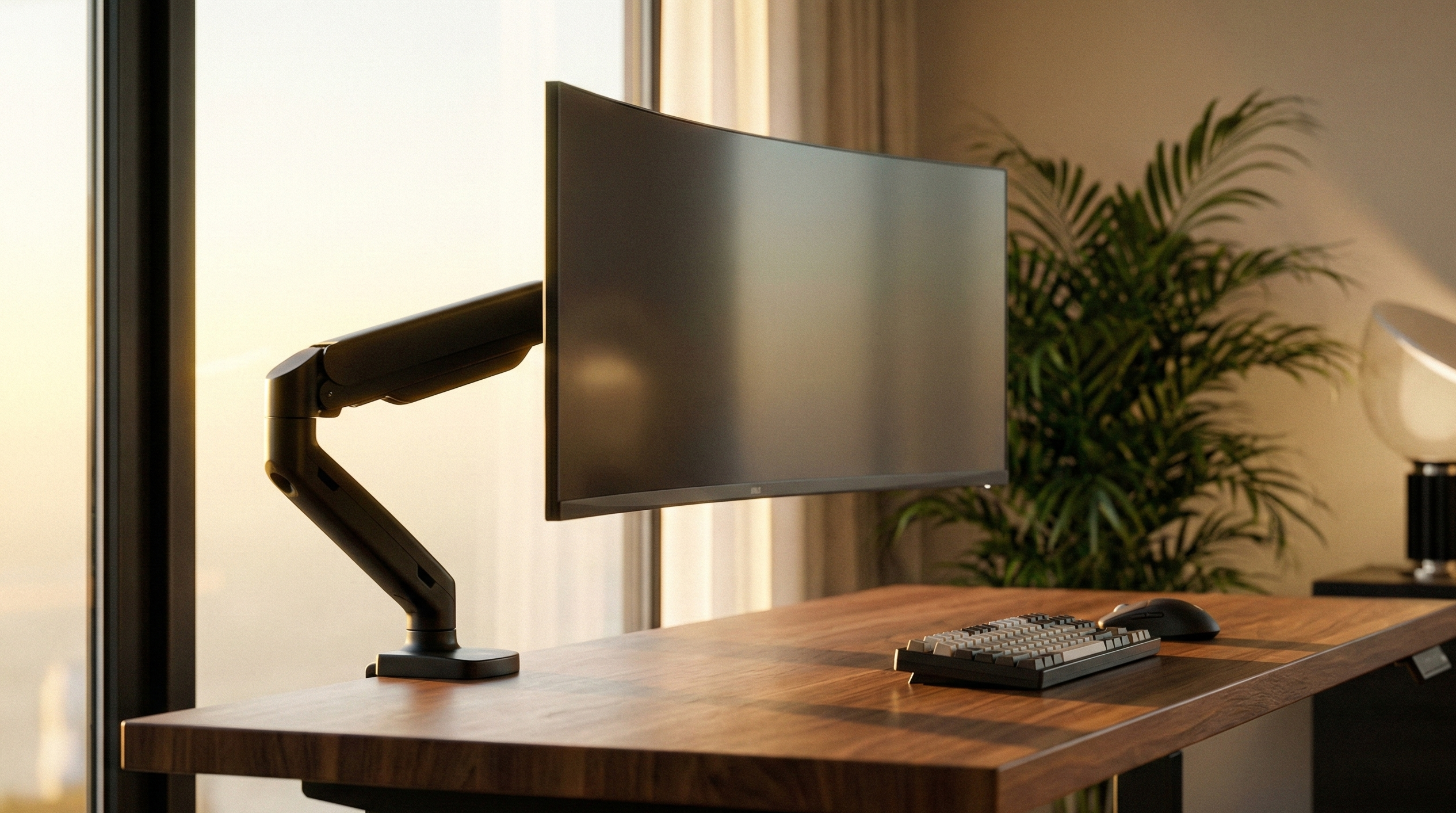
Ergonomic Home Office Setup 2026 with floating monitor on a monitor arm and Clean Desk lighting
✨ Summary

Key takeaways:

  • Clean Desk: A monitor arm creates up to 40% more space on your desk.
  • Ergonomics: Only flexible mounts allow for perfect eye level to prevent neck pain.
  • Lighting & Well-being: Indirect lighting reduces contrast and relieves eye strain.
  • Compatibility: We solve every mounting problem – if necessary with our patented VESA adapters.

📑 Table of Contents (Navigation)

1. Clean Desk Principle ↓ 2. Ergonomics Guide ↓ 3. Lighting & Ambiance ↓ 4. Hiding Cables ↓ ? FAQ ↓

1. Finally space on your desk again: The Clean Desk Principle

A cluttered desk leads to a cluttered mind. The most effective measure for a modern Desk Setup 2026 is switching to a desk mount. The bulky original stand is often the biggest space waster in the room.
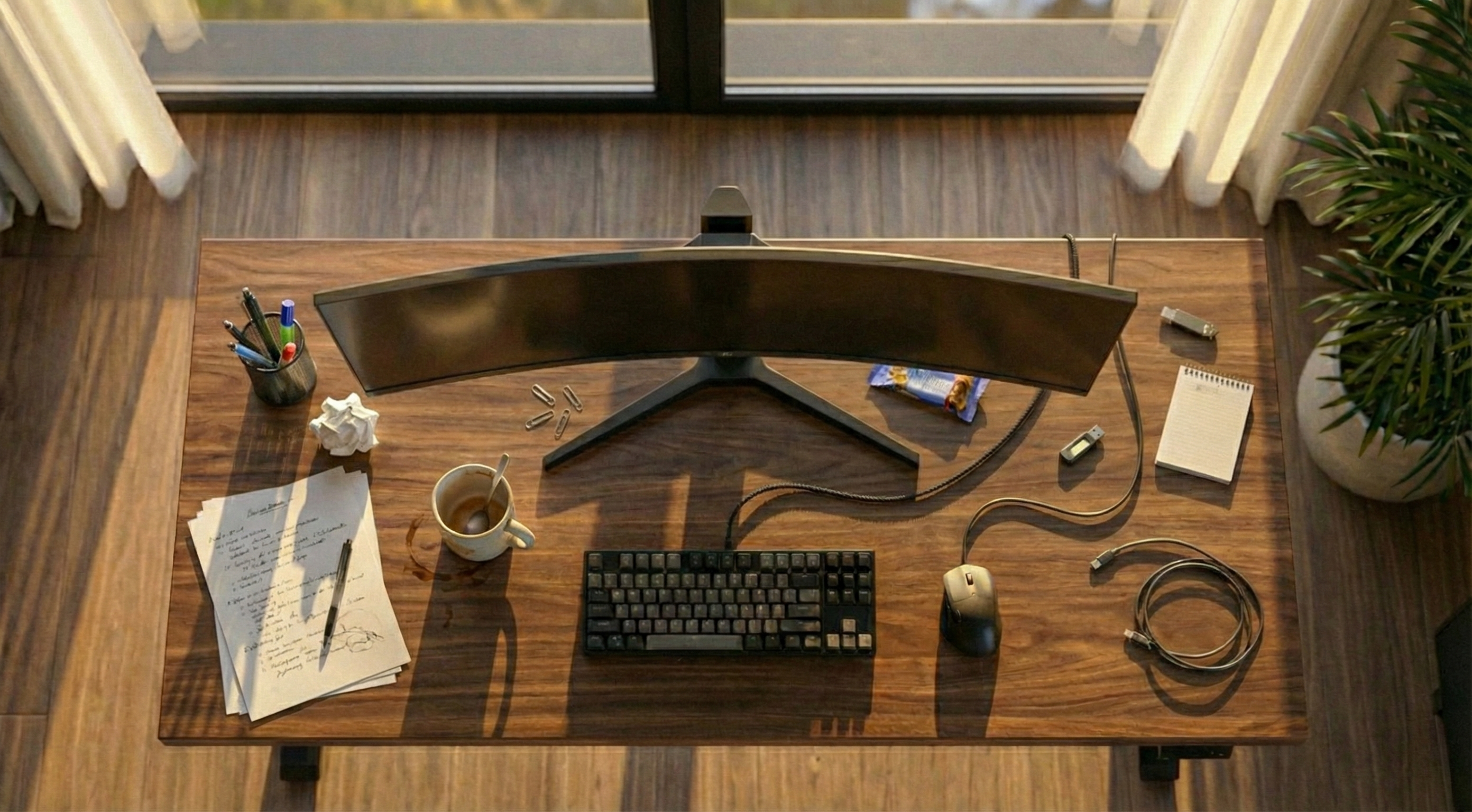
Desk without monitor mount: Cluttered, little space, and visible cables
❌ The Problem

Huge plastic stand takes up workspace, gathers dust, no room for keyboard, rigid and immovable.
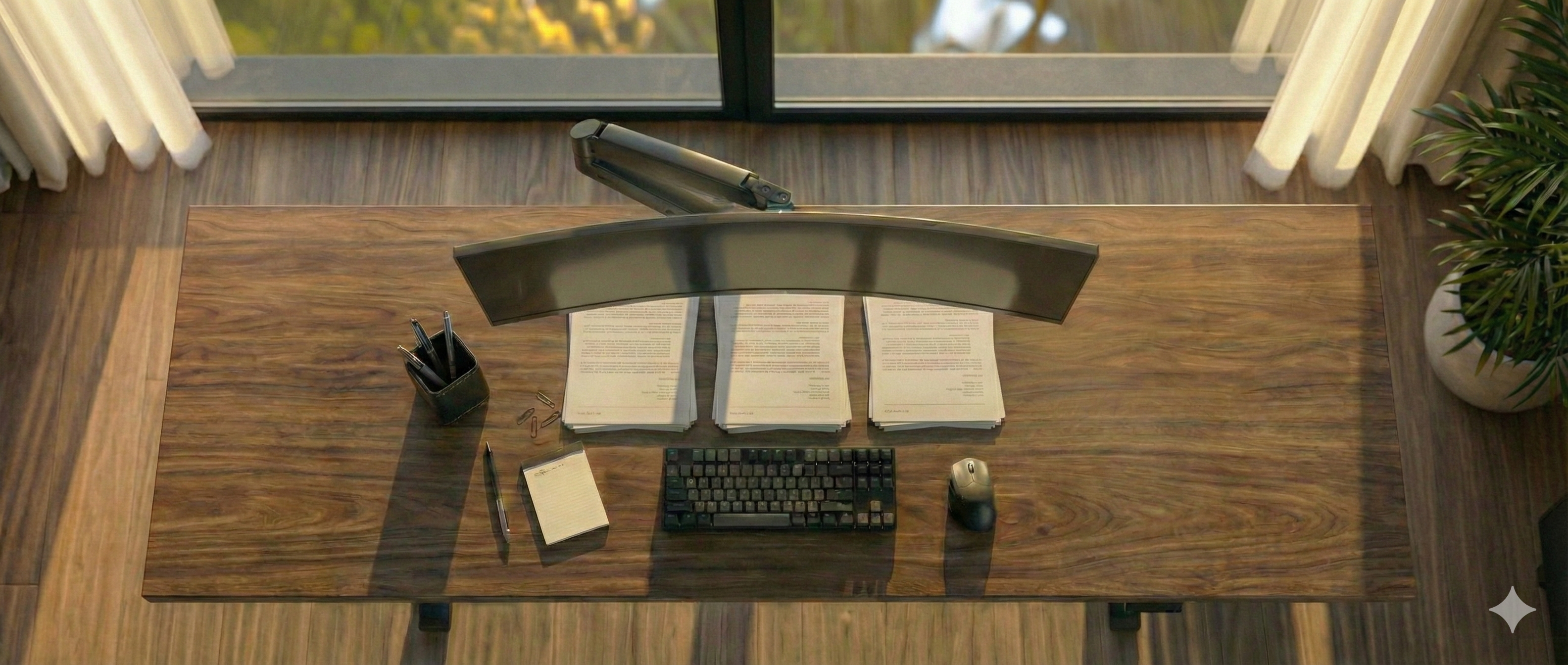
Clean Desk Setup with monitor mount: Tidy, floating monitor, and plenty of space
✅ The Solution (Clean Desk)

A monitor arm lets the screen float. The surface underneath is fully usable – for a minimalist look.

Left: Space loss due to standard stand. Right: Freedom through monitor mount.
Why vesa-adapter.com? We focus on true quality.

While the market is often dominated by unstable solutions, we consistently focus on durable quality.

Through our work developing special adapters for difficult monitors, we have developed a technical understanding of what really matters for stability. We use this knowledge to filter the market for you: You won't find thousands of random products with us, but a hand-picked selection of monitor arms that have withstood our strict quality checks. We only sell what we would use ourselves.


2. Workplace Ergonomics: The 90-Degree Rule

"How do I set up my desk ergonomically?" The answer is simple: Flexibility. A rigid stand forces you into a posture. A good swivel arm adapts to you.
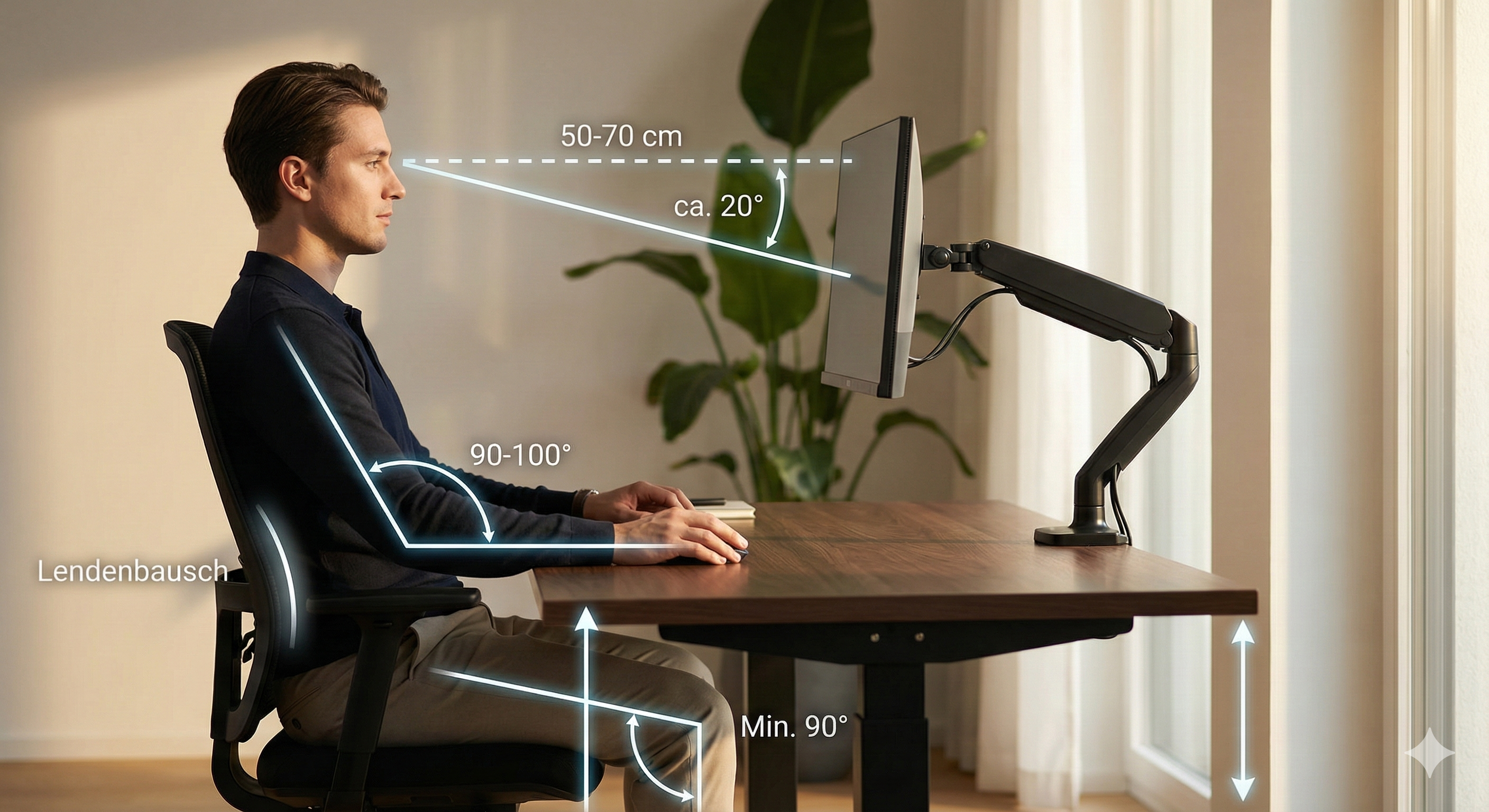
Side view of workplace ergonomics: Adjusting correct monitor height and 90 degree angle

The 3 Golden Rules of Setup:

  • ✔ Set correct monitor height: The top edge of the screen must be at eye level. This prevents "tech neck" (turtle neck).
  • ✔ Keep your distance: The monitor should be about an arm's length (50-70 cm) away. Monitor arms allow you to pull the screen closer when needed (e.g., for detailed work).
  • ✔ Central Focus: Main monitor centered. Dual monitor setups can only be aligned ergonomically correct (gapless) with a double monitor mount.

3. Lighting & Ambiance: Minimizing Contrasts

Adequate lighting is essential for ergonomic work. Too strong a contrast between a bright screen and a dark environment leads to increased strain on the eye muscles. Ensure balanced illumination of the workplace to prevent fatigue and headaches.

💡 Pro Tip: Bias Lighting

Installing an LED strip on the back of the monitor ("Bias Lighting") creates indirect wall lighting. This balances brightness differences in your field of vision and protects your eyes during prolonged screen work.


4. Hiding Cables: Invisible Management

Nothing destroys "Clean Desk Ideas" faster than cable clutter. If you use one of our monitor mounts, this problem is usually already solved.

  • Integrated Channels: Almost all our monitor arms have integrated cable guides. You simply clip the cables into the arm so they move invisibly with the monitor.
  • Wireless Peripherals: Mouse and keyboard should be wireless today. This reduces cables on the desk to a minimum.
  • Under the Desk: Use cable trays or Velcro ties to route the remaining cables (power, PC connection) directly under the table top.

Your next step to the dream setup
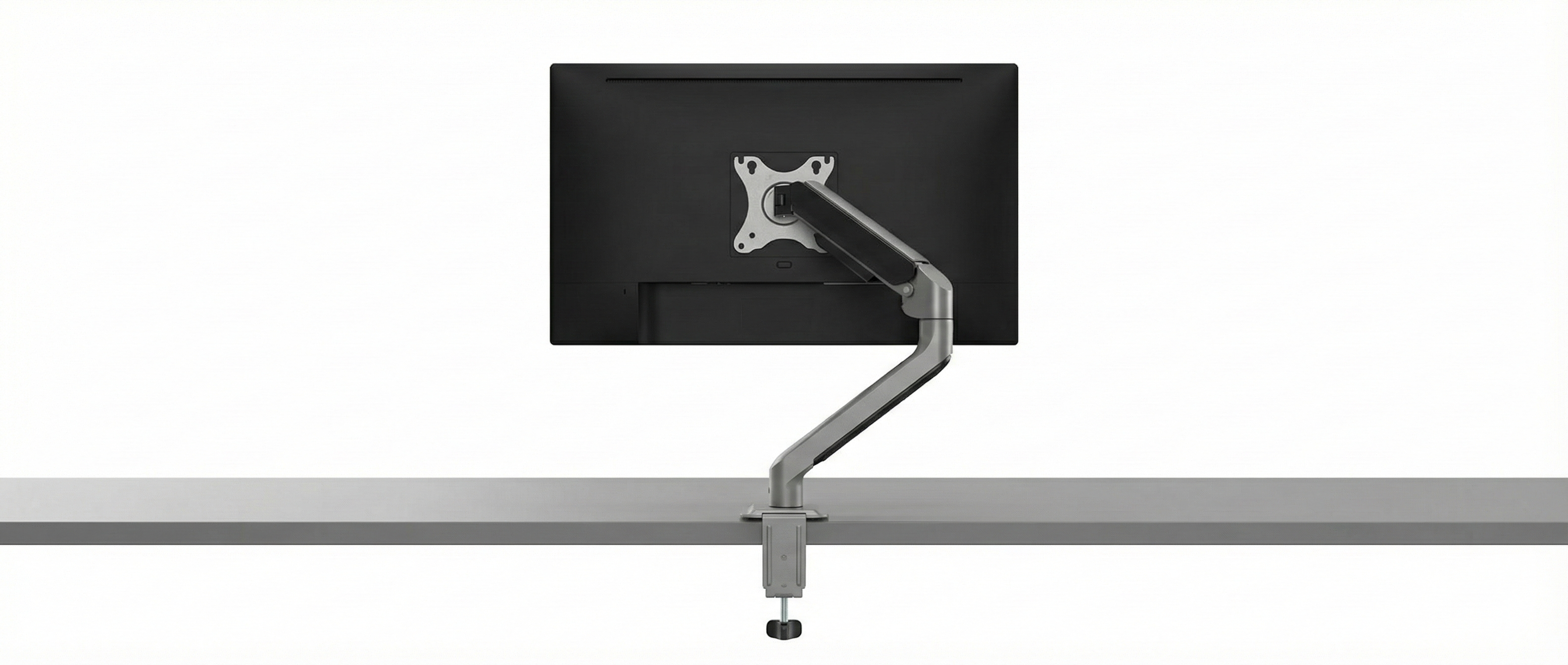
Monitor Mount Shop Category
VISIT SHOP: MONITOR MOUNTS Discover bestsellers Arrow
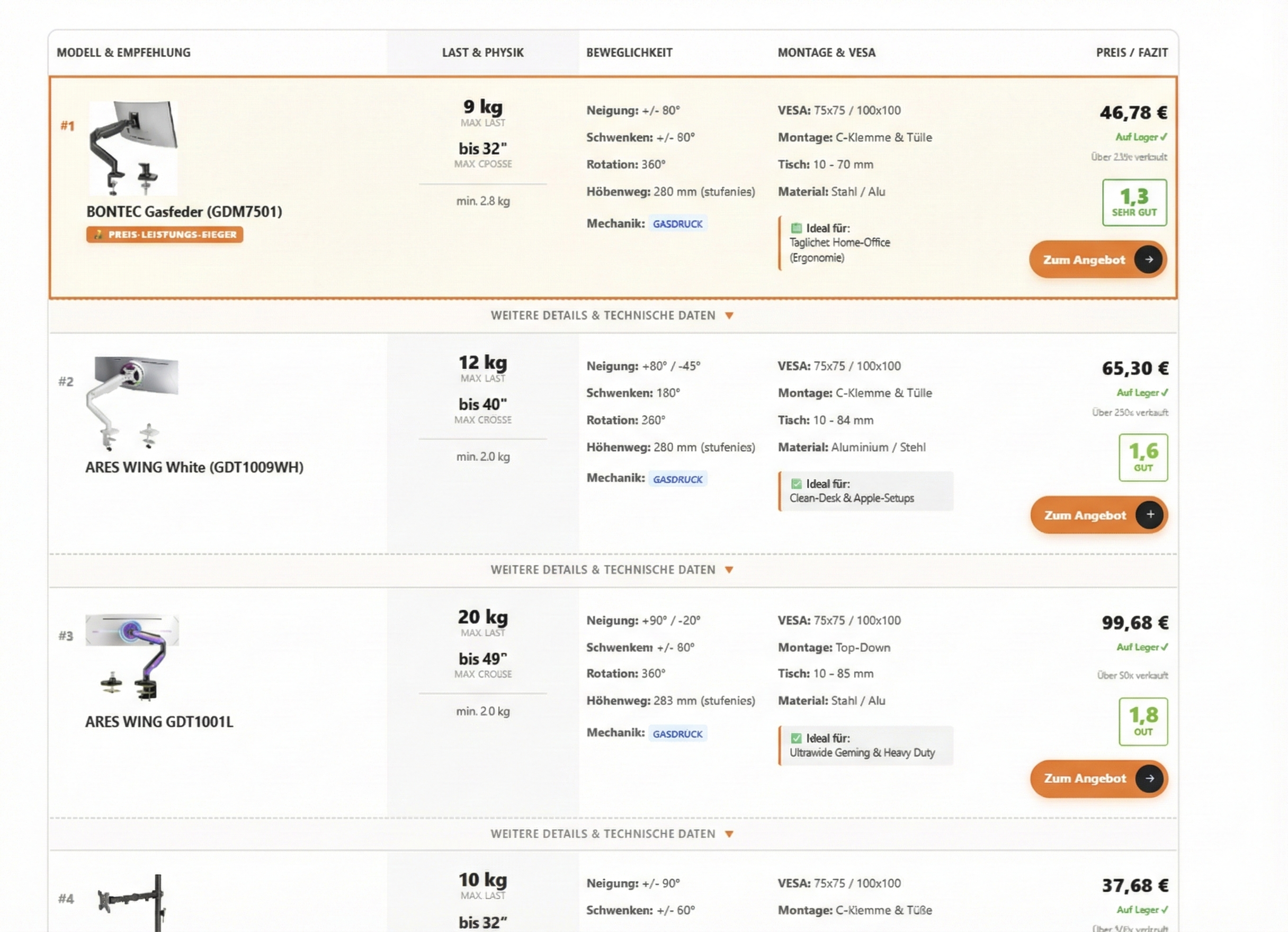
Comparison Table Monitor Mounts
TECH COMPARISON Which mount suits you? Arrow

Frequently Asked Questions (FAQ)

Does every monitor fit on a mount? +
Yes, in 99% of cases. Most monitors use the VESA standard (square hole pattern). For monitors without VESA holes (e.g., some design models from HP or Xiaomi), we as specialists offer suitable VESA Adapters that enable mounting anyway.
How do I set up two monitors (Dual Setup) ergonomically? +
Symmetrically or Asymmetrically. If you use both screens equally often, place them in a slight V-angle centrally in front of you so that the inner edges touch. If one is your main monitor, it should be positioned directly in the center, while the secondary monitor is positioned tilted to the side. A dual monitor mount saves space and ensures flush alignment.
Which is better: Gas spring or mechanical spring? +
It depends on movement. If you move the monitor often (e.g., switching between sitting and standing or showing content), a gas spring is ideal because it glides almost weightlessly and steplessly. For static setups that are set once and stay that way, a mechanical mount is sufficient.
Wall mount or desk mount – which saves more space? +
Both variants save the space of the stand. A wall mount leaves the desk completely free (ideal for very narrow desks) but requires drilling into the wall. A desk mount is more flexible in positioning and installation (clamp without drilling) but requires a minimal attachment point on the desk edge.
How can I hide cables on the desk? +
In 3 steps: First, use the integrated cable channels of our monitor mounts to route cables invisibly from the screen to the table. Under the tabletop, cable trays or Velcro ties help to hide power and data cables in bundles. Use wireless models for mouse and keyboard.
What does the VESA standard mean (e.g. 100x100)? +
VESA is a global standard for mounting screens. The numbers (e.g., 100x100) describe the distance between the four threaded holes on the back of the monitor in millimeters (horizontal x vertical). Simply measure the hole spacing on your monitor to find the matching mount or the necessary adapter.
Does my desk hold the weight of a monitor mount? +
This depends on the material. Solid wood tops are unproblematic. Caution is advised with desks with a honeycomb structure (often with cheap furniture like IKEA LINNMON), as the clamp can indent the material. We strongly recommend using a reinforcement plate here to distribute the load.
Can I use curved monitors on normal mounts? +
Yes, but pay attention to the weight. Due to the curvature, the center of gravity shifts further forward ("leverage effect"). Therefore, choose a monitor arm whose load capacity (payload) is slightly above the actual weight of your monitor to prevent drooping.
What tools do I need for assembly? +
Usually, everything necessary is included (mostly Allen keys). For the desk clamp, you often don't need any tools at all. Only for wall mounting are a drill, spirit level, and screwdriver required.
How do I avoid scratches on the table during assembly? +
Good monitor mounts have rubberized pads on the clamp. If you are unsure or have a sensitive wooden table, you can place a thin piece of rubber or felt between the tabletop and the clamp. A reinforcement plate also helps to avoid pressure marks.

Conclusion

A productive home office doesn't happen by chance. It starts with the right foundation. Trust us when buying your monitor mount – we filter the market for you and offer only tested quality.

Find mount now ›

Your monitor has no VESA holes? Find adapter here. | Fast shipping.

Your cart
Subtotal: 0,00 €
Fingerprint
Chat on Whatsapp

Sign up to our newsletter

for important news, great offers and insights from the VESA Adapter Team

vesa-adapter.com
vesa-adapter.com
3idee SARL
19, Rue de Bitbourg
1273 Luxembourg
Luxembourg
info@vesa-adapter.com
Live Chat

Support

  • Return
  • Goods not arrived
  • Product damaged
  • FAQ
  • Assembly instructions

Information

  • About us
  • Shipping
  • Privacy policy
  • Our Terms & Conditions
  • Imprint
  • Right of withdrawal

Find it fast

  • Acer
  • AOC
  • ASUS
  • BenQ
  • CSL
  • DELL
  • HP
  • HP Omen
  • Huawei


  • Koorui
  • Lenovo
  • LC-Power
  • MSI
  • ODYS
  • Philips
  • Samsung
  • Viewsonic
  • Xiaomi
© 2026 - 3idee Sàrl
Paypal AmazonPay klarna Visa Mastercard American Express Discover Diners Club Carte Bancaire JCB Union Pay eps iDeal bancontact Przelewy24

Hello, welcome back

Login to manage your account.

Forgot passwort?
No account yet? Register now

Welcome to vesa-adapter.com

Complete the form to create an account

You already have an account? Login

Forgot passwort?

Enter your email address and we will send you an email with your new password.

You remember again? Login